
CONSAI AgroOS · Product announcement
Meet the new CONSAI AgroOS Farmer Dashboard
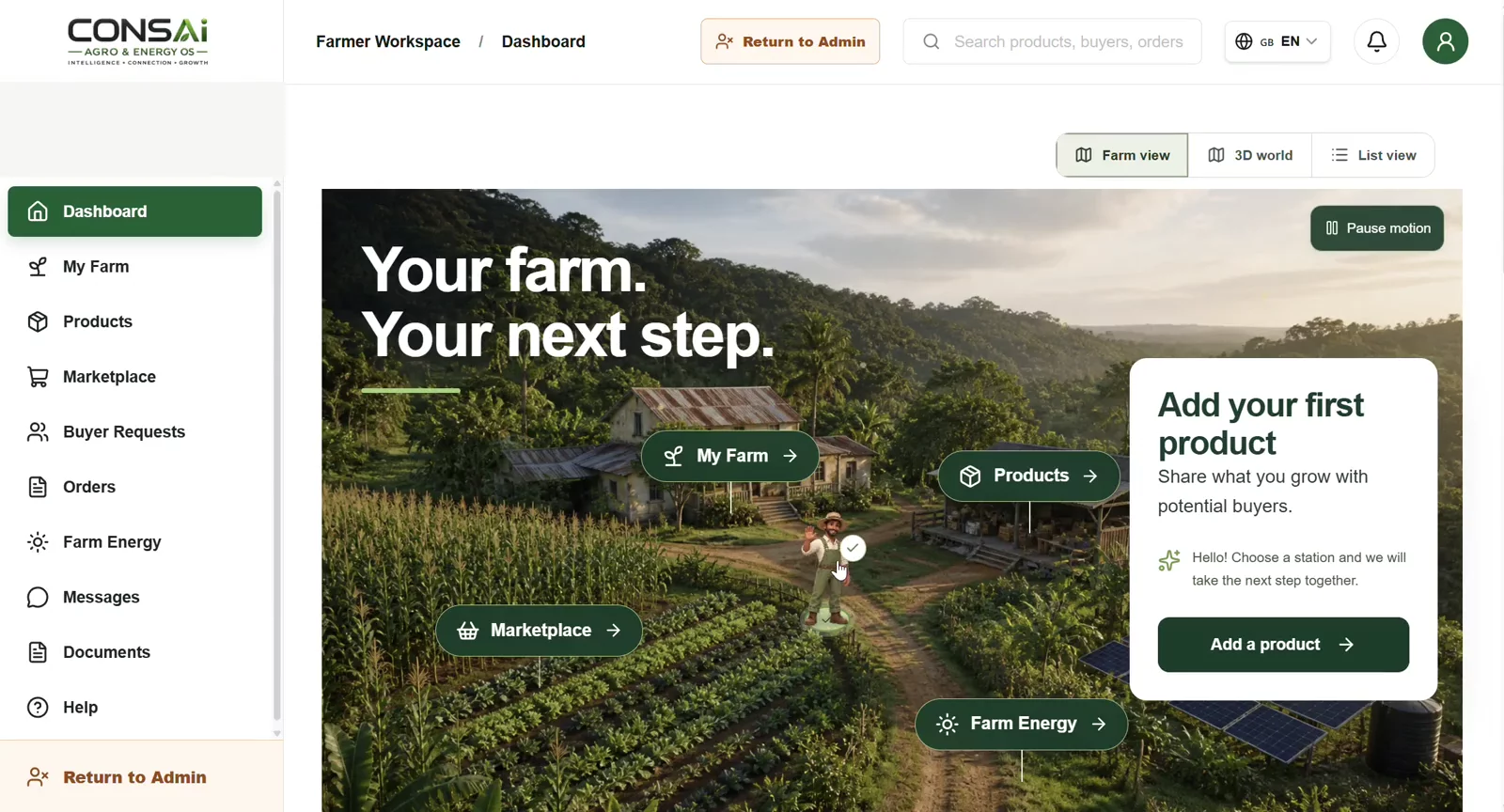
Your farm. Your next step. The new CONSAI AgroOS Farmer Dashboard brings everyday farm work into one visual workspace—from recording a field to preparing a product offer and describing an energy need. Explore the experience in six short recordings.
Explore the video tourRecorded 9 September 2026 · English interface and explanations
Inside the farmer workspace
A clearer starting point for every farmer
The dashboard brings My Farm, Products, Marketplace and Farm Energy into view. A guided tour introduces the workspace, while milestones show recorded progress from account creation to a field record, product and buyer conversation. Farmers can choose their next action without searching through disconnected screens. The illustrated landscape is a navigation aid, not a surveyed map of a farm.
Turn field knowledge into usable records
My Farm organizes field records, a field map and notes around the same workflow. The recording shows the Add New Field steps for farm information, location, connections and review, followed by a scouting-note form. Bringing these details together helps a farmer explain what is happening on the ground and return to observations when planning the next task.
Prepare products buyers can understand
The product journey moves from a photo to product details, quantity and price, then review. A visual packing station makes the steps easier to follow. The recording demonstrates a tomato offer with an available quantity, unit and currency. Clear descriptions and consistent offer information give a potential buyer a better starting point for a conversation.
Connect an offer with a buyer request
The marketplace view brings buyer requests and market actions closer to the farmer’s products. The demonstration shows how a sourcing request is reviewed against an offer before a response is prepared. This is a workflow for exploring fit and starting a commercial conversation; a displayed request is not a completed order or a guaranteed sale.
Describe the energy your farm needs
Farm Energy guides the user through farm and region details, the intended use, and project context. Options shown include solar irrigation, solar cold storage and battery storage. The final review brings the request together before submission. A structured brief helps communicate needs to the next party; feasibility, supplier scope and financing still require their own assessment.
See the wider CONSAI community
The final recording shows the supplied worldwide member map, moving between regions and grouped markers. It adds geographic context to the farmer story and the wider ecosystem. This is a snapshot from 9 September 2026, not a live membership counter. Map clusters are not presented as verified active farmers, paying customers or completed transactions.
One workspace, a more understandable next step
Good agricultural software should make work easier to follow. This dashboard connects field context, product preparation, market exploration and energy requests through recognizable visual steps. The recordings show the interface and example workflows; availability depends on the account’s role and access. Start with your farm record, prepare your first product and explore the pathways relevant to your operation.
Before you get started
Are the illustrations real farm maps?
No. The illustrated views guide navigation. The field-map workflow is a separate part of My Farm.
Does the member map show a live total?
No. It is a dated recording of the supplied map, not an independently verified membership count.
Where can I explore the platform?
Use the CONSAI AgroOS link below to open the platform and choose the pathway relevant to your role.